Every minute,
on the minute.
EM:OM is an interval timer for people who actually train. A countdown you can read across the gym, and cues you can hear over your music.
$5.99 one-time for Pro. No subscription, no ads, no account.
Big enough to read
from across the gym.
The countdown fills the screen in your phase color: volt for work, blue for rest, amber for the lead-in, red for the final seconds. Turn the phone sideways and everything goes bigger still. Pick the field that suits you: two free, four more with Pro.
Steady
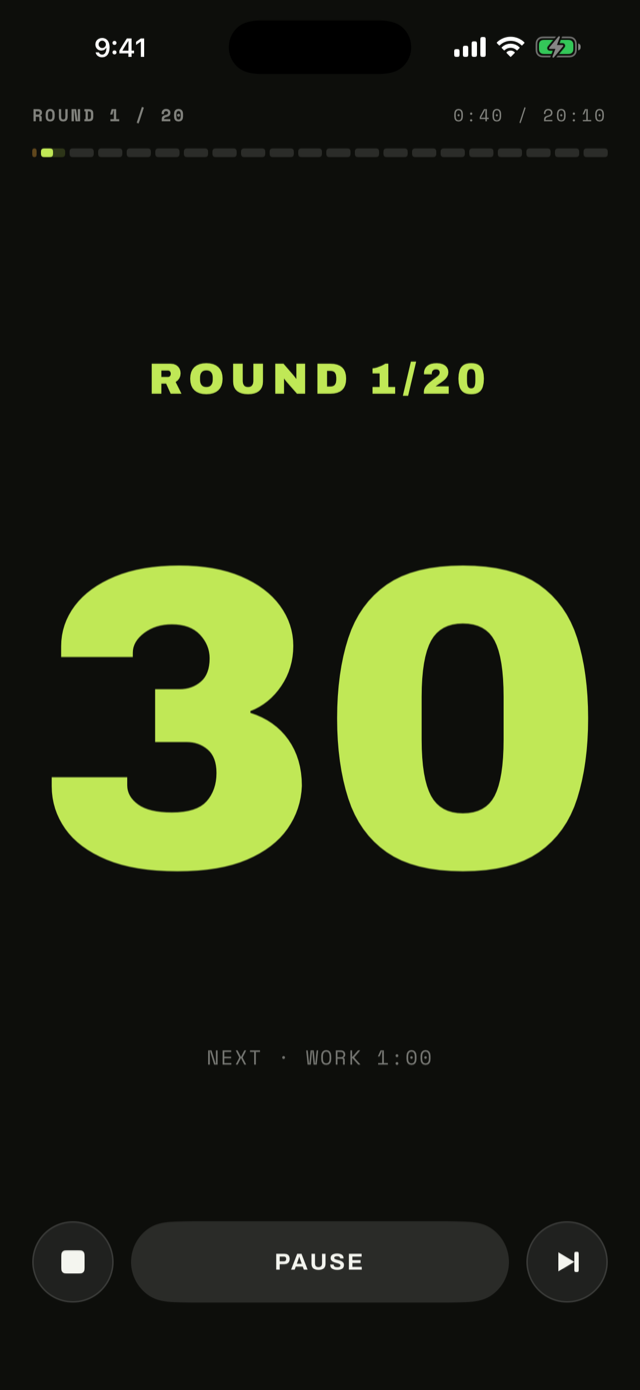
A dark, focused field. Only the number, the round, and what is coming next.
Tide
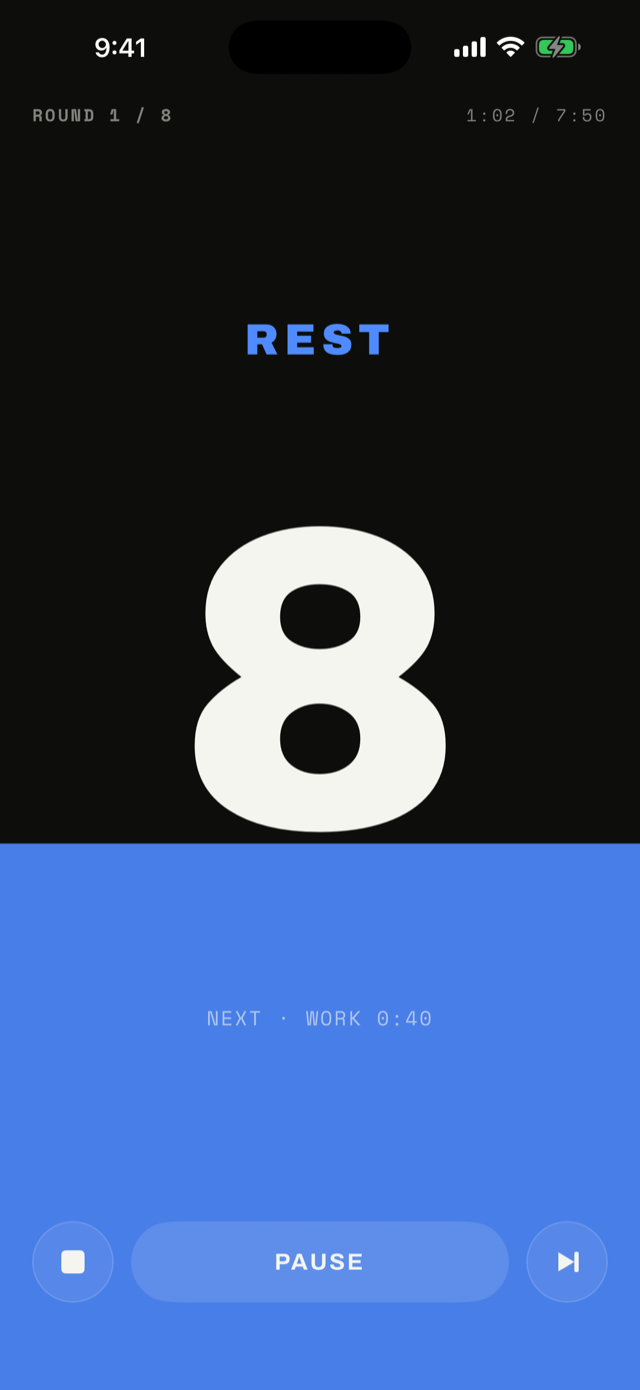
The whole screen fills and drains with the clock, so you can read your interval from your peripheral vision.
TallyPRO
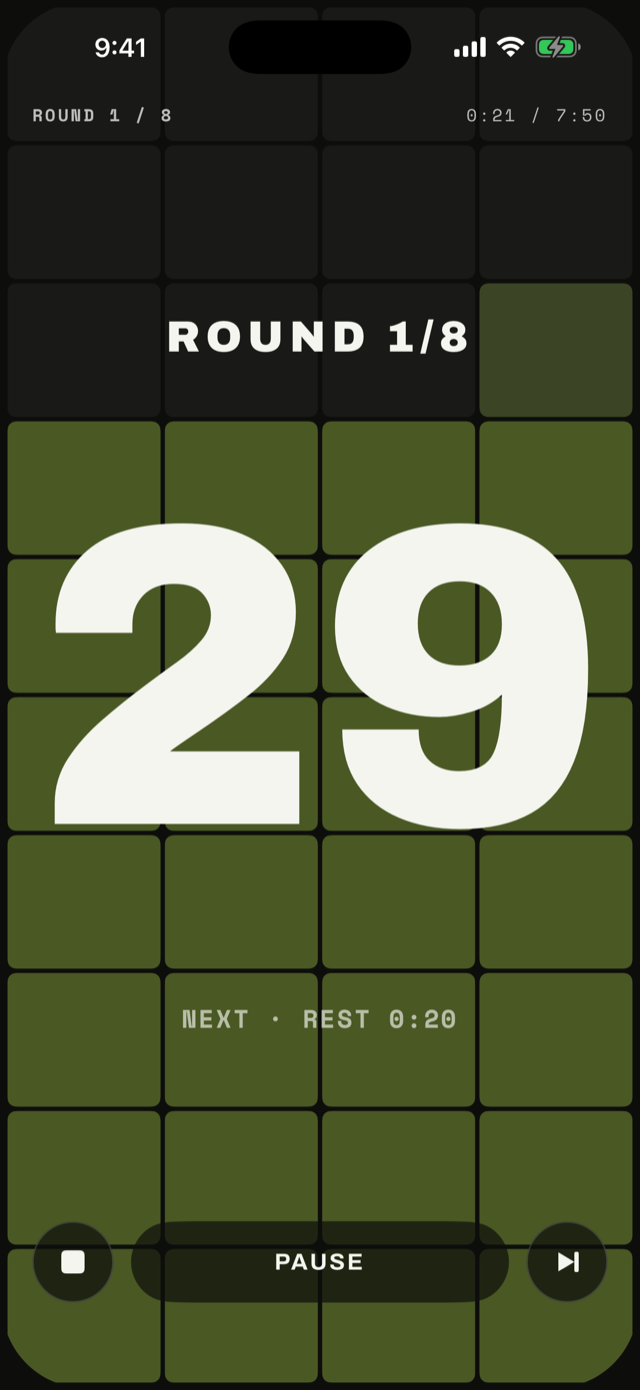
Every second gets its own cell, and they go dark one at a time. Count what is left without reading a number.
RopesPRO
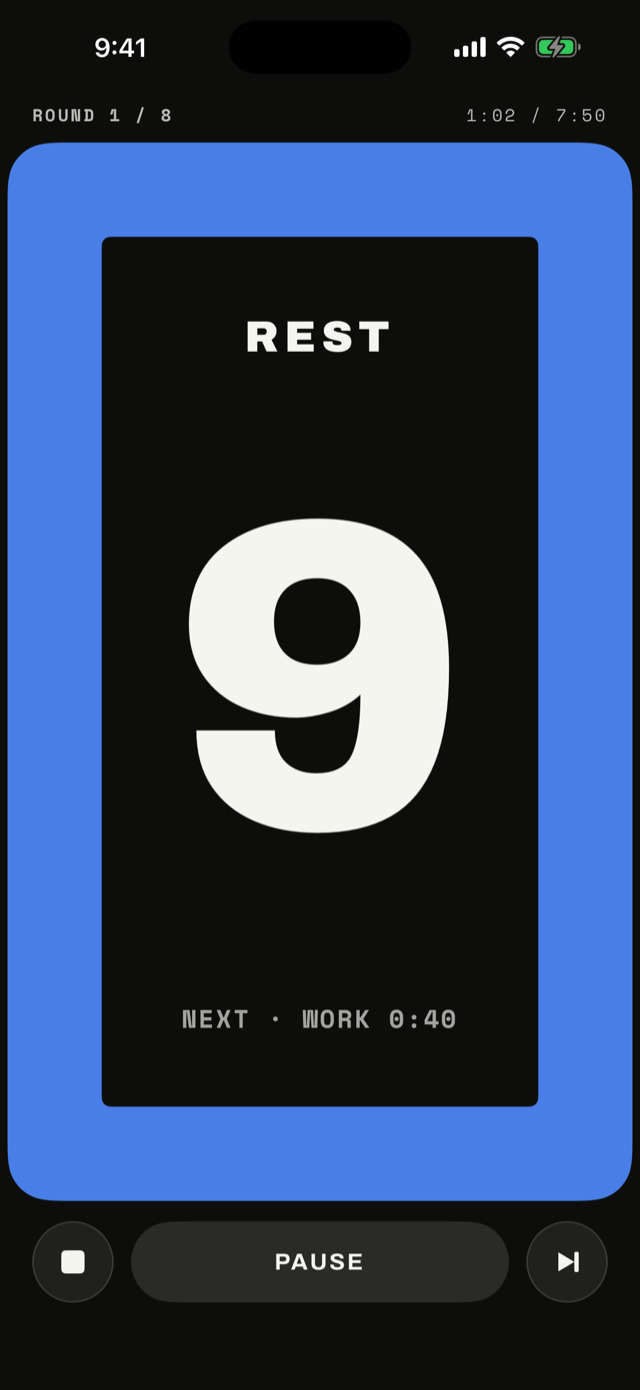
A ring in the phase color closes in as the round runs out. The walls come in; you already know what that means.
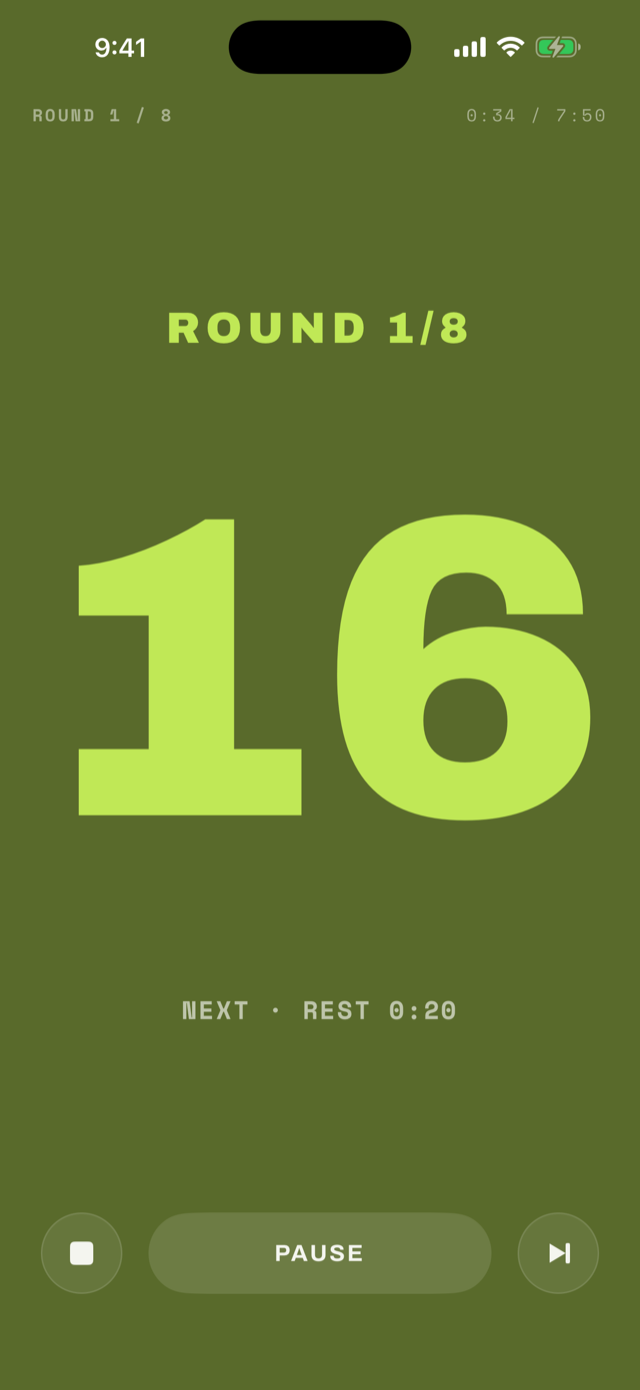
GlowPRO
The field heats up through the phase and burns brightest right before the switch. Impossible to miss mid-set.
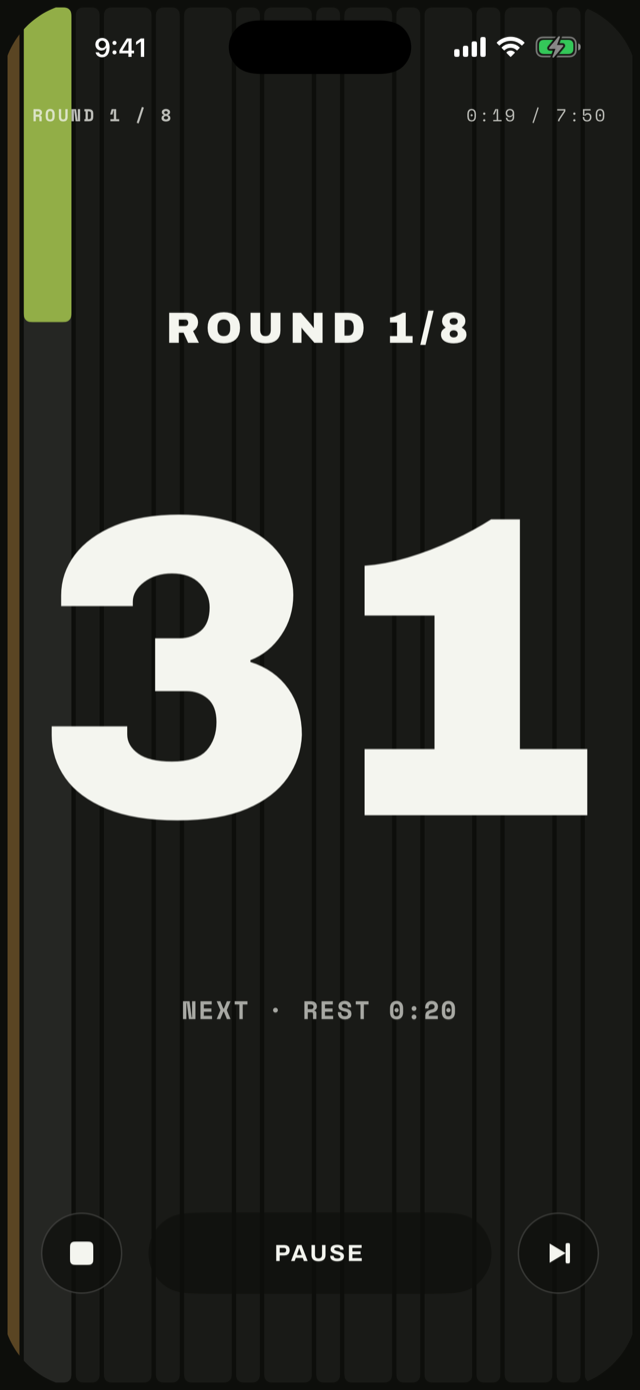
LanesPRO
Your whole workout stands up as columns and fills one at a time, so you always know how much is still ahead.
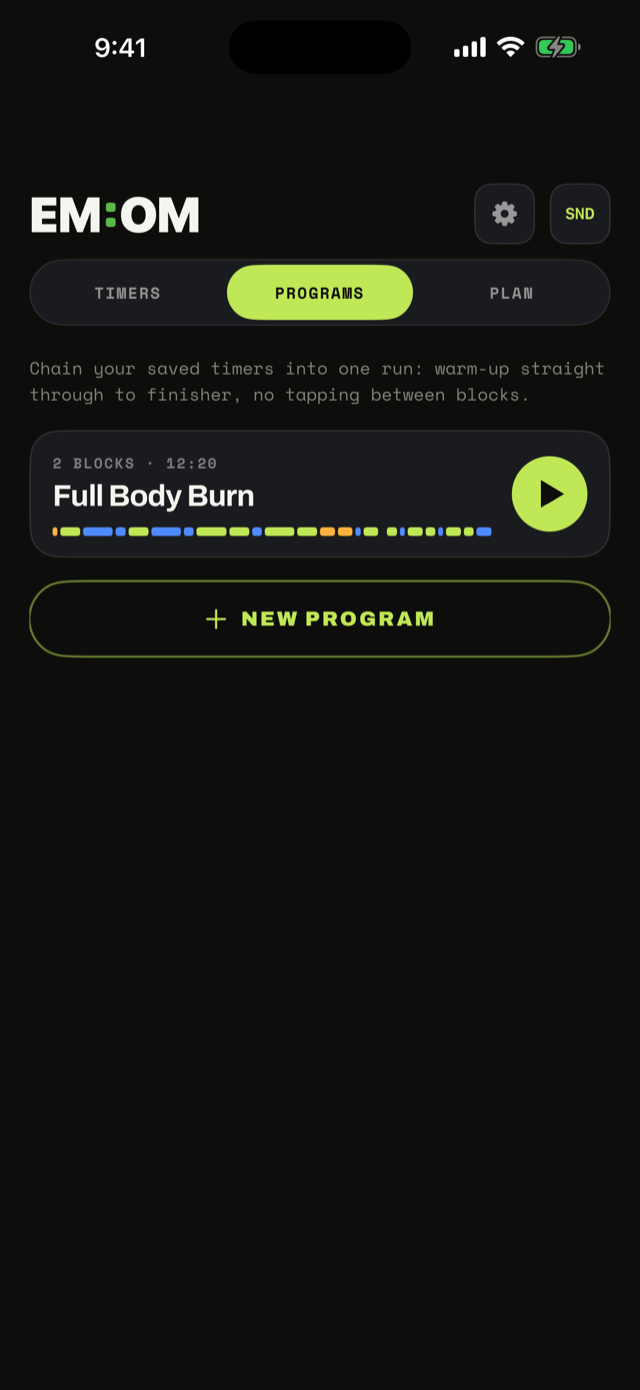
Chain your timers into one run.
Programs link your saved timers back to back: warm-up, workout, finisher, with no tapping in between. Add a transition between blocks and let the whole session flow start to finish.
- Drop in any saved timer as a block
- Optional transition time between blocks
- One tap runs the entire session
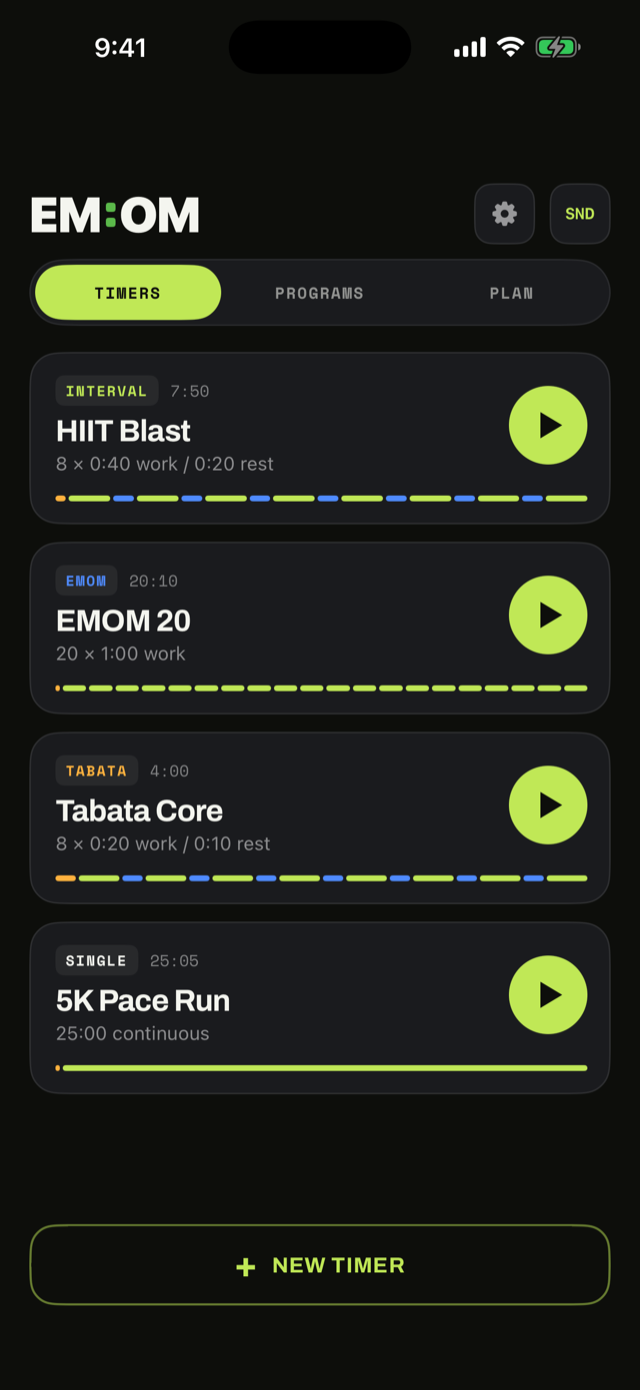
Everything one tap from home.
Timers, Programs, and your weekly Plan sit behind a single toggle. Every timer shows its shape as a rail of work and rest segments, so you know what you are in for before you start.
- Intervals, EMOM, Tabata, or one continuous block
- Name your exercises and give each its own work and rest
- Plan (Pro): assign workouts to days and let EM:OM check them off from your history
Built to get out of your way.
Cues that mix over your music
Beeps and haptics fire right over Spotify, Apple Music, or a podcast. Nothing pauses. They keep working on silent and with the screen locked.
On your wrist
Run any timer from Apple Watch with a phase ring and a Taptic tap on every switch, even with your phone across the gym.
Lock screen and Dynamic Island
A Live Activity keeps your round and your remaining time a glance away, without unlocking anything.
Breathe through the rest
During rest the countdown slowly swells and settles, six breaths a minute. Recover on purpose instead of scrolling. Turn it off any time.
Syncs through your iCloud
Your timers and settings follow you across your devices through your own private iCloud, on every plan, including free.
No account, no tracking, no ads
There is nothing to sign up for and nothing to opt out of. We never see your workouts.
Make it yours
Alternate app icons, a voice countdown, and per-timer sound settings, so the app fits the way you train.
Buy it once. That's it.
The full timer is free. Pro is a single unlock that never expires and never asks again.
Free
$0Everything you need to run a workout.
- Up to 5 saved timers
- Intervals, EMOM, Tabata, and single blocks
- The Steady and Tide field styles
- Audio and haptic cues
- iCloud sync
EM:OM Pro
$5.99One-time purchase. No subscription, ever.
- Unlimited saved timers
- Four more field styles: Tally, Ropes, Glow, Lanes
- Programs, to chain timers into one run
- Weekly Plan and reminders
- Apple Watch app and Live Activity
- Voice countdown
- Workout history
Everything in Free, plus the above.
Good to know.
What does EMOM mean?
Every Minute On the Minute. You start a set of work at the top of each minute and rest with whatever time you have left, then go again when the clock comes around.
Will the cues talk over my music?
They mix on top of it. Your music, podcast, or audiobook keeps playing and never pauses, and cues still fire on silent and with the screen locked.
Do I need an account?
No. There is no sign-up and no login. Your timers live on your device and sync through your own private iCloud.
Is it a subscription?
No. Pro is a one-time $5.99 purchase that unlocks everything, forever. There are no ads and no upsells after that.
Does it work on Apple Watch?
Yes, with Pro. Run any timer straight from your wrist with a phase ring and a tap on every switch, even with your phone across the gym.
Can I prop my phone sideways?
Yes. Every screen works in landscape, and the run screen puts the phase and what is next beside a much bigger number, so a phone propped on a bench still reads from across the room.
What kinds of workouts does it handle?
HIIT, EMOM, Tabata, kettlebell circuits, grip work, boxing rounds, running intervals, or one long continuous block. If it is timed, it fits.
Set it, start it, get to work.
EM:OM is on the App Store for iPhone and Apple Watch.